How do you install it?
Visit the Bewtay website
Open Chrome or any browser on your Android phone and go to the official Bewtay website.
Tap the APK download button
On the download page, tap the "Android Download" button. The APK file will be saved to your phone.
Allow unknown sources
Go to Settings > Security > Install Unknown Apps and grant permission to your browser. You only need to do this once.
Install the APK file
Open your Downloads folder, tap the APK file, and hit "Install". Setup completes in just a few seconds.
Log In or Register
Open the app and sign in with your account. New here? Registration only takes a few minutes.
Only download the APK from the official Bewtay site. Downloading from third-party sites is not safe.
Open the App Store
Open the App Store on your iPhone or iPad and type "Bewtay" in the search bar.
Find the app
Find the official Bewtay app in the search results. Verify the official logo and the developer name.
Tap Get or the download button
Tap "Get" or the cloud icon. Confirm with your Apple ID password or Face ID.
Open the app after installation
Once installation is complete, tap "Open". The Bewtay icon will appear on your home screen.
Sign in to your account
Log in with your existing account or create a new one. Enable Face ID and you won't need to enter your password again.
Open Chrome or Safari
Visit the official Bewtay site from any modern browser. No download needed.
Log In or Register
Access your account directly through the browser. The mobile browser delivers the same full experience as desktop.
Add a Shortcut to Your Home Screen
In Chrome, go to Menu > "Add to Home Screen", or in Safari, tap Share > "Add to Home Screen" to get an app-like icon on your home screen.
Play Now
With a home screen shortcut, you can open Bewtay and jump straight to your favourite game with just one tap.
All features are available on the browser version. However, for push notifications and biometric login, the native app is recommended.
What makes the Bewtay app different?
There are plenty of gaming apps out there, but Bewtay stands apart for a specific reason. The focus here goes beyond just offering games — it's about making the entire experience as smooth and enjoyable as possible. From the moment the app opens to the time it takes to load and switch between games, Bewtay prioritizes speed at every step. The app is built with Bangladesh's network conditions in mind, so even on a slow connection, you should have no trouble playing.

Bewtay app interface — clean, simple, and fully in Bangla
The app's design has been carefully thought through. From the menu layout to button sizing, everything is built with mobile users in mind. Large buttons for easy tapping, clean fonts, and generous spacing to prevent accidental presses. There's a dark mode for late-night sessions and a bright light mode for daytime use, with the option to switch automatically based on your system theme.
What games are available on the app
The Bewtay app brings Live Casino, Sports Betting, Bingo, and the full game lobby together in one place — no need to download separate apps. One account gives you access to every section, with a single balance you can use across all of them. Play with real dealers in Live Casino, back your favorite team in Sports, or join the fun in Bingo — all from a single app.
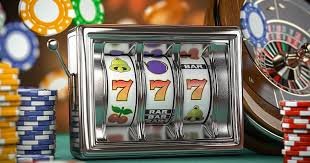
Live Casino, Sports, and Bingo — all in one place on the Bewtay app
Deposits & withdrawals made easy, right in the app
Depositing and withdrawing your winnings on the Bewtay app is straightforward. The app supports multiple payment methods including mobile banking and bank transfer. Go to the Wallet section, enter the amount, choose your method, and confirm — deposits are usually instant. Withdrawals are just as easy: submit a request and you'll typically receive your funds within 24 hours. The entire process is handled within the app, no extra steps needed.
Security & Privacy
The Bewtay app keeps your personal information and financial transactions fully secure. All communications are protected with 256-bit SSL encryption. Biometric login lets you sign in safely without a password. You'll receive instant notifications if any unusual activity is detected on your account. Enabling two-factor authentication (2FA) adds an extra layer of protection.

Bewtay app security — your information is always protected
How do you get updates?
The Bewtay app is updated regularly with new features, bug fixes, and performance improvements. Android users will receive in-app update notifications and can update with a single tap. iOS users get updates through the App Store. With auto-update enabled, your phone will handle it automatically whenever a new version is available. It's always best to stay on the latest version for optimal performance and security.
System Requirements
The Bewtay app doesn't require a high-end phone. It runs smoothly on Android 6.0 or above with just 1 GB of RAM, and iOS 13 or above for iPhone and iPad. As long as you have an internet connection and at least 100 MB of free storage, you're good to go. A stable connection is recommended for live games, though a standard 4G connection works perfectly fine.

Bewtay app — runs beautifully on any Android or iOS device
Tips for first-time users
There are a few things worth keeping in mind when installing Bewtay for the first time. Enter accurate information during registration, as identity verification will be required later. Once your account is set up, enable push notifications from Profile Settings so you never miss a bonus or offer. Activate biometric login for faster sign-ins going forward. Before your first deposit, check for any promo codes to claim your welcome bonus. And if you ever need help, live chat support is available 24/7 right inside the app.
Bewtay is committed to responsible gaming. The app includes spend limits and self-exclusion options. Set your own boundaries and keep gaming fun.